
-
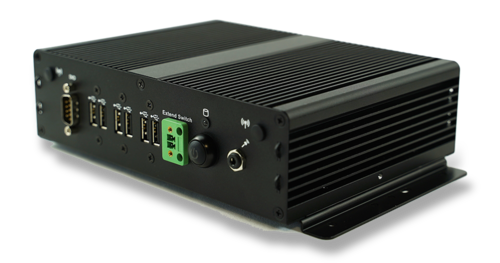
Edge AI Box – Lite
$499.00 -
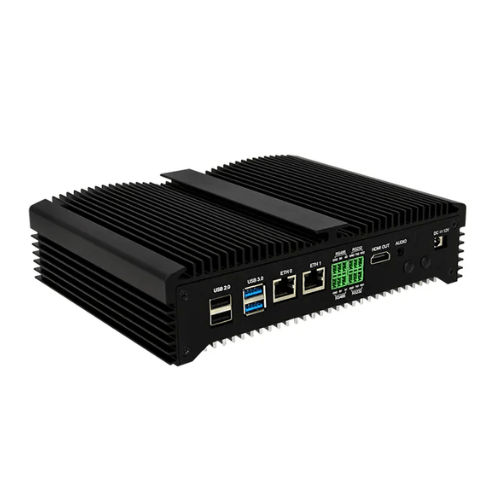
Edge AI Box – Standard
$1,499.00

-
Call / WhatsApp +60 18 383 1196
-
Any Questions info@edgeaiworks.com
When a “Model Problem” Is Actually a Camera Problem in Industrial Computer Vision
ByDAO EDGE
When a “Model Problem” Is Actually a Camera Problem in Industrial Computer Vision
Industrial computer vision projects often follow a familiar pattern.
A model performs reasonably well during development. Detection results look promising, accuracy appears acceptable, and the team begins preparing for deployment.
Then the system moves into the real production environment.
False positives increase. Small defects are missed. Performance becomes less stable. Results may change with lighting, camera position, reflections, or other conditions around the inspection area.
The first reaction is often to change the AI:
- retrain the model;
- collect more data;
- adjust thresholds;
- try a larger model;
- change the model architecture.
Sometimes that is necessary.
But sometimes the problem begins before the image ever reaches the model.
The camera may simply not be providing the model with consistent, usable information.
This distinction matters because retraining a model cannot fully solve an imaging problem.
1. Uneven Lighting Can Change What the Model Sees
Lighting has appeared repeatedly as a practical problem in real industrial vision discussions.
In one material-inspection case, the objective was to detect surface problems such as:
- scratches;
- stains;
- black spots;
- wrinkles.
But the captured image was much brighter in the center and darker toward the edges. draft
That changes the inspection problem.
The same scratch may look different depending on where it appears in the image. A stain may be obvious in one area and difficult to see in another. Surface texture may also appear different under uneven illumination. draft
From the model’s perspective, the product is no longer being presented under one consistent visual condition.
Before retraining, it may therefore be worth asking:
- Is illumination reasonably consistent across the inspection area?
- Does the same defect look different depending on its position?
- Are shadows or reflections hiding important details?
- Does the appearance change during normal production?
If the answer is yes, adding more training data may help, but it may not address the underlying imaging instability.
The first question should be:
Can the defect be presented to the model consistently?
2. Reflective Surfaces Make “Better Images” More Complicated
Reflective parts create a different problem.
In another real discussion, the goal was to inspect reflective industrial components for:
- small scratches;
- dents;
- printing defects;
- other surface anomalies.
The concern was not simply whether image enhancement could make the picture look clearer.
It was whether enhancement could accidentally remove, smooth, or introduce details that matter to inspection. draft
That leads to an important distinction:
A visually better image is not automatically a better inspection image.
For normal photography, making an image cleaner, brighter or smoother may be desirable.
For industrial inspection, the more important requirement is:
Preserve the visual evidence needed to decide whether a defect is present.
If image processing makes a surface look cleaner but also reduces the visibility of a small scratch, then the image may become less useful for quality inspection. draft
This is why image enhancement should not be evaluated only by how attractive the result looks.
The real question is:
Does the processing improve or reduce downstream inspection reliability?
3. Blur, Focus and Vibration Can Look Like AI Failure
Image sharpness is another recurring problem.
A camera can continue streaming normally while the useful visual information gradually becomes worse.
Possible conditions discussed in real deployment contexts include:
- slight defocus;
- vibration;
- unstable mounting;
- motion blur.
The important point is that the software may not obviously fail.
The video stream is still available.
The AI model is still running.
Inference results are still being produced.
But the visual information needed for reliable detection has already degraded. draft
This becomes especially important when the target is small.
Examples may include:
- fine surface defects;
- small components;
- labels;
- PPE viewed from a distance;
- small objects in a crowded image. draft
If the camera never captures enough useful detail, the model cannot recover information that is no longer present.
So when performance suddenly drops, one useful question is:
Is the image still good enough for the task the model is being asked to perform?
That question should often come before:
“Should we retrain the model?”
4. Exposure and Camera Position Can Change the Detection Environment
Exposure can also change what the model sees.
If an image becomes too bright, important surface detail may disappear.
If it becomes too dark, defects or small objects may become difficult to distinguish.
The problem becomes more complicated when camera settings change automatically during operation, because the model can begin receiving images that look different from those used during development. draft
Before assuming the model is responsible, it may be useful to check:
- Are exposure conditions changing during operation?
- Are important regions becoming too bright or too dark?
- Is useful texture or defect detail being lost?
Camera position matters for a similar reason.
A different viewing angle can change:
- how much of a defect is visible;
- whether objects overlap;
- how large a target appears in the image;
- whether reflections become stronger;
- whether a simple visual task becomes unnecessarily difficult. draft
This does not mean every camera-placement problem can be solved by moving the camera.
It does mean that camera position should be considered part of the inspection problem rather than treated as a completely separate hardware decision.
Sometimes simplifying what the camera sees can reduce the amount of complexity required later in the AI system.
5. Input Health Should Be Separated From Model Performance
One of the most useful ideas to emerge from recent production-oriented discussions is the distinction between:
model performance
and
input health.
A production camera may become partially blocked, contaminated, badly blurred, severely overexposed or otherwise unreliable.
The dangerous part is that the system may continue operating.
The stream is still active.
Inference still happens.
Results are still produced.
But the input is no longer trustworthy. draft
That creates an important diagnostic question:
Is the model failing on a valid image, or is the camera feed itself no longer reliable?
Some practitioners therefore suggest treating input quality as a separate stage rather than expecting the main detection model to handle every possible imaging problem.
Conceptually:
Camera
↓
Input-quality / health check
↓
If acceptable → continue to detection
If unreliable → flag the input condition
The purpose is not to replace a robust model.
It is to make failures easier to diagnose.
For example, a system should ideally be able to distinguish between:
“The model is struggling with a difficult but valid image”
and:
“The image itself is no longer suitable for reliable inference.” draft
This distinction can become especially important in systems expected to run for long periods without constant human supervision.
6. The Video Pipeline Can Degrade Useful Information Too
The model may not receive exactly the same image that the camera originally captured.
In a typical video system, the image can pass through several stages such as:
- camera encoding;
- network transmission;
- RTSP streaming;
- video decoding;
- resizing;
- additional processing. draft
Compression and processing can matter when the information being detected is visually small or subtle.
Examples include:
- small objects;
- fine edges;
- repetitive textures;
- fast-moving targets. draft
This is another reason why model evaluation alone may not represent production performance.
A model tested on clean stored images may behave differently when the actual deployment input comes from compressed live video.
So the production question should not only be:
“How accurate is the model?”
It should also include:
“What image is the model actually receiving in the deployed system?”
7. Before Retraining: Diagnose the Problem in the Right Order
None of this means the AI model is never responsible.
Sometimes the camera feed is stable, lighting is controlled, the target is clearly visible, and the model still performs poorly.
In that case, the problem may indeed be related to:
- insufficient or unrepresentative training data;
- class definitions;
- model generalization;
- model selection;
- training or deployment differences.
The goal is therefore not to blame the camera instead of the model.
The goal is to identify which part of the system is actually failing.
A practical troubleshooting order can be:
1. Check the camera feed
Is the image sharp, stable and unobstructed?
2. Check lighting
Can the target or defect be seen consistently across the inspection area?
3. Check exposure and viewing conditions
Are important details disappearing in bright or dark areas?
4. Check camera position
Is the target visible at the required size and angle?
5. Check the video pipeline
Could compression, resizing or other processing be reducing useful information?
6. Then evaluate the model and data
If the input remains stable and representative but failures continue, investigate the training data, class definitions, model generalization and model configuration.
This order reflects a simple idea:
Do not retrain a model to compensate for an input problem that has not yet been understood.
A production vision system is therefore better viewed as a chain:
Scene
↓
Lighting
↓
Camera / Lens
↓
Image / Video Quality
↓
AI Model
↓
Decision Logic
↓
Alarm / PLC / API / Dashboard
If the early stages are unstable, even a strong model may receive inconsistent information. draft
Conclusion
When an industrial computer vision system begins producing more false positives or missed detections, the AI model is an obvious place to investigate.
But it should not automatically be the first place.
Across real-world computer vision discussions, several problems repeatedly appear before inference even begins:
- uneven lighting;
- reflections;
- blur or poor focus;
- unstable exposure;
- camera vibration;
- unsuitable camera position;
- unreliable camera input;
- video compression.
These conditions can change the visual evidence available to the model.
The practical lesson is therefore not:
“Camera problems are more important than model problems.”
It is:
Separate input problems from model problems before deciding what to change.
If the input is unstable, improve or stabilize the imaging conditions first.
If the input is reliable and representative but the system still performs poorly, then the investigation should move toward the data, model and deployment configuration.
A reliable production vision system should therefore answer two questions:
What does the model detect?
and
Is the image trustworthy enough for that detection to be meaningful?
Discuss Your Industrial Computer Vision Project
If you are evaluating an industrial computer vision project and are unsure whether the main challenge is camera setup, lighting, image quality, model performance or edge deployment, you can share the basic project information with us for an initial discussion.
Useful information may include:
- sample images or a short video;
- the target defect, object or event;
- camera position and resolution;
- lighting conditions;
- the required detection result;
- acceptable false-positive or miss rate;
- the intended deployment environment.
